Settings drive everything
Brands & channels, fee rules and pricing strategy defaults feed every picker and every number — set them once per company.
Content is the engine. Marketplaces are where it converts. SellerTiger puts every number in one place — and turns the loop between them into a method your whole team can repeat.
Every sign-up starts on the Free plan. No credit card; upgrade any time.
Connects to the platforms and tools your team already uses


Demand is no longer found by browsing a marketplace. It is created by content and finished by a checkout. Winning sellers run both layers — and read them from one set of numbers.
Short videos, creators, posts and LINE broadcasts create demand. Plan it, publish it, pay creators on time and see which piece moved sales.
Shopee, Lazada, TikTok Shop and your own website turn attention into orders. Price with true fees, keep stock honest and answer every buyer.
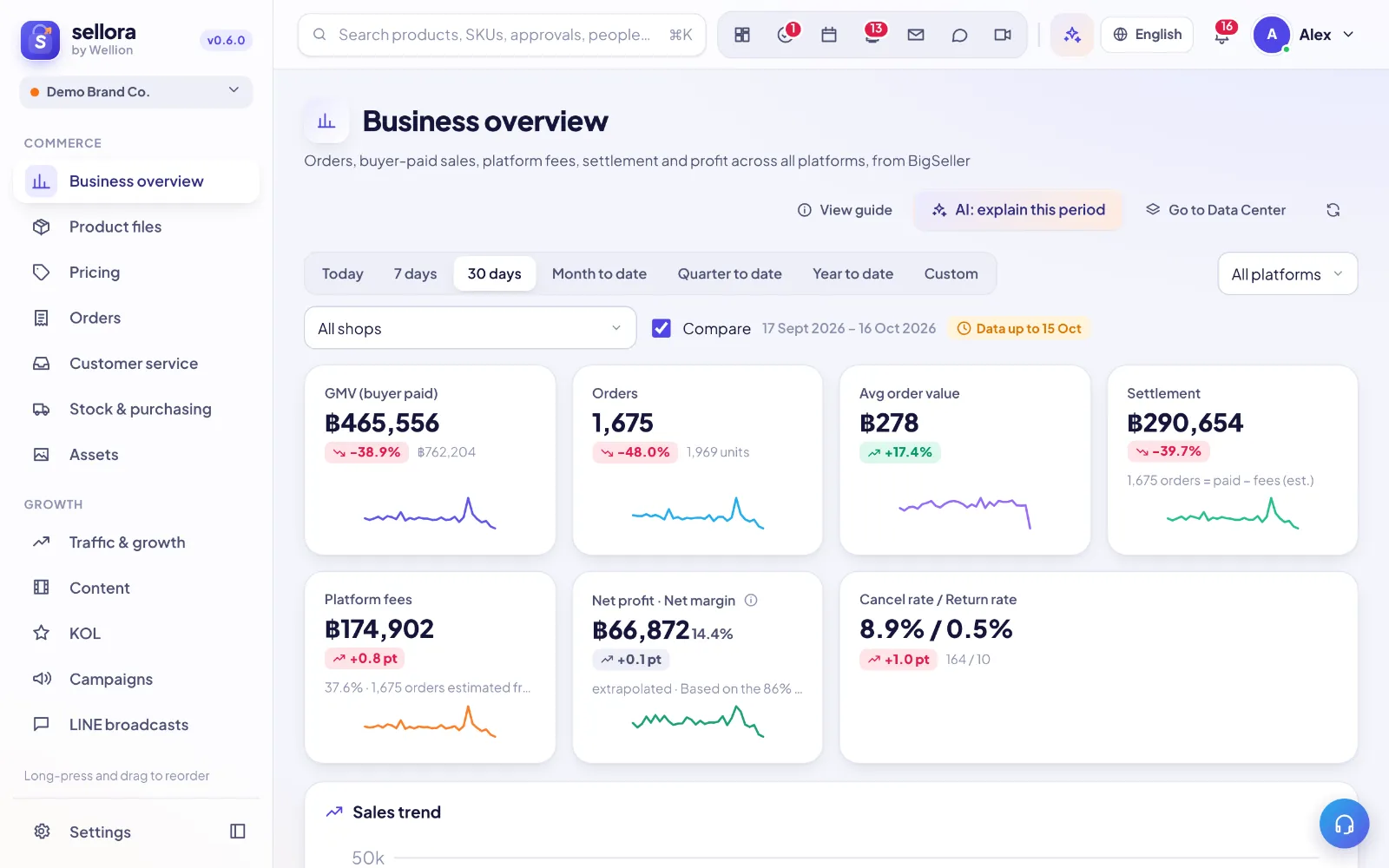
SellerTiger connects every account, fetches on schedule, removes duplicates silently and tells you where each number came from — so the whole team decides from the same truth.
Every growth result comes from the same five steps. SellerTiger gives each step its tools, its numbers and its owner.
Plan the calendar, brief creators, publish and track every post.
Content · KOL · BroadcastsFollowers, reach and clicks across networks, fetched automatically.
Traffic & growthFee-aware prices, honest stock and fast buyer replies on every channel.
Pricing · Orders · InboxOrders, settlements, spend and stock land in one place, deduplicated.
Data Center · OverviewBudgets, purchase plans, approvals and OKRs turn numbers into next actions.
Budget · Forecast · ApprovalsScattered back offices, exports and spreadsheets become one source of truth. Connect an account and SellerTiger takes it from there.
Each source runs hourly, daily or weekly with a Run-now button, last and next run, and a health status.
Direct platform API, then the platform’s own export files, then ERP bridges such as BigSeller, then AI reading of public pages, then spreadsheets — the best available source always wins.
Orders are matched by platform + order number, so switching sources or re-importing never double counts.
No API yet? Import or type it. The moment an API is connected, the manual path for that data closes automatically.
What cannot be fetched becomes a task for the right colleague, with the file format and deadline attached.
An (i) on each figure tells you what it is, how it is calculated, where it came from and when it last synced.
 Data CenterData in one place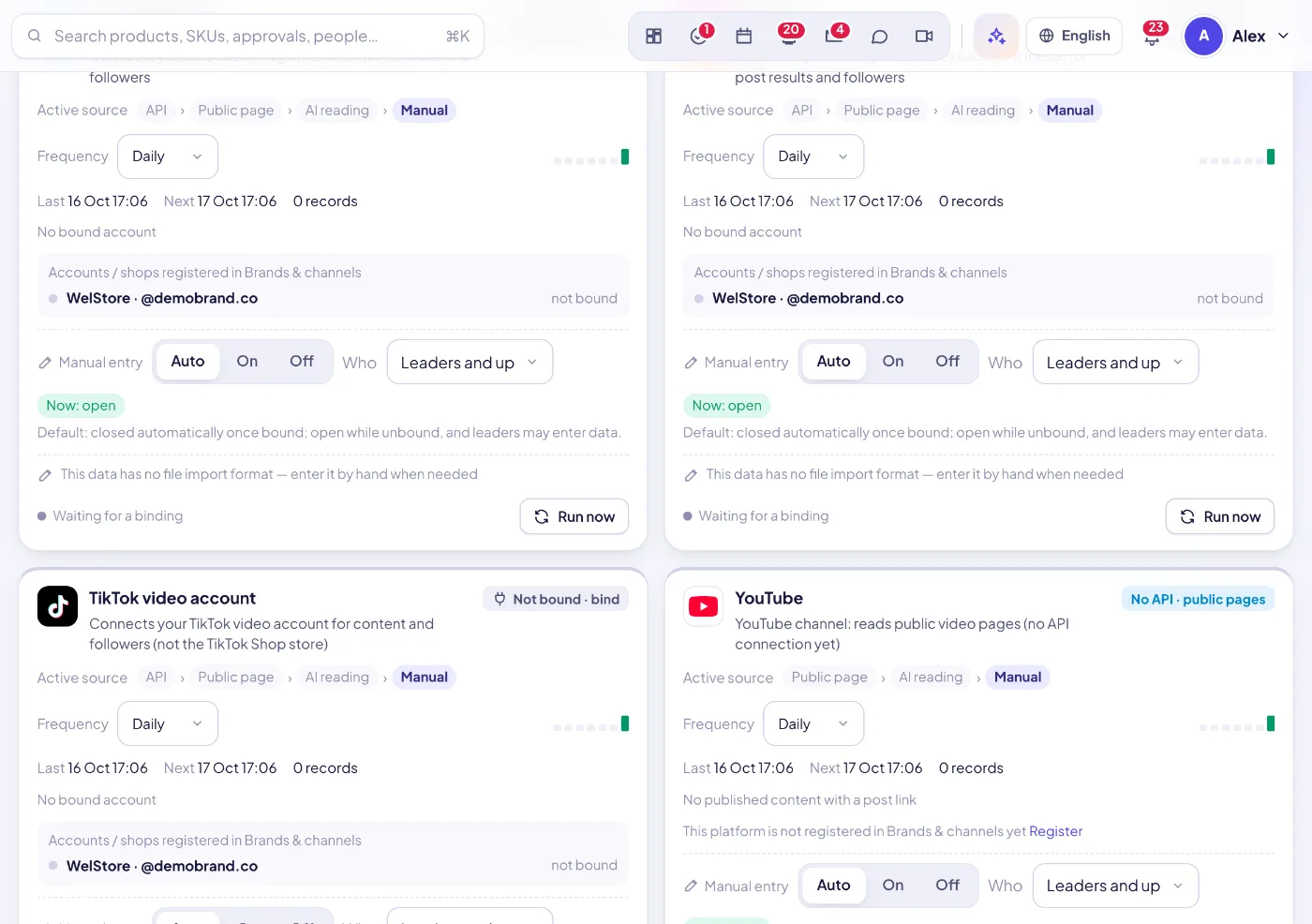
Everything an e-commerce team needs, connected. Each module works on its own — and gets stronger with the others switched on.
Every view is built to answer one question fast. A few of the details our customers use every day:
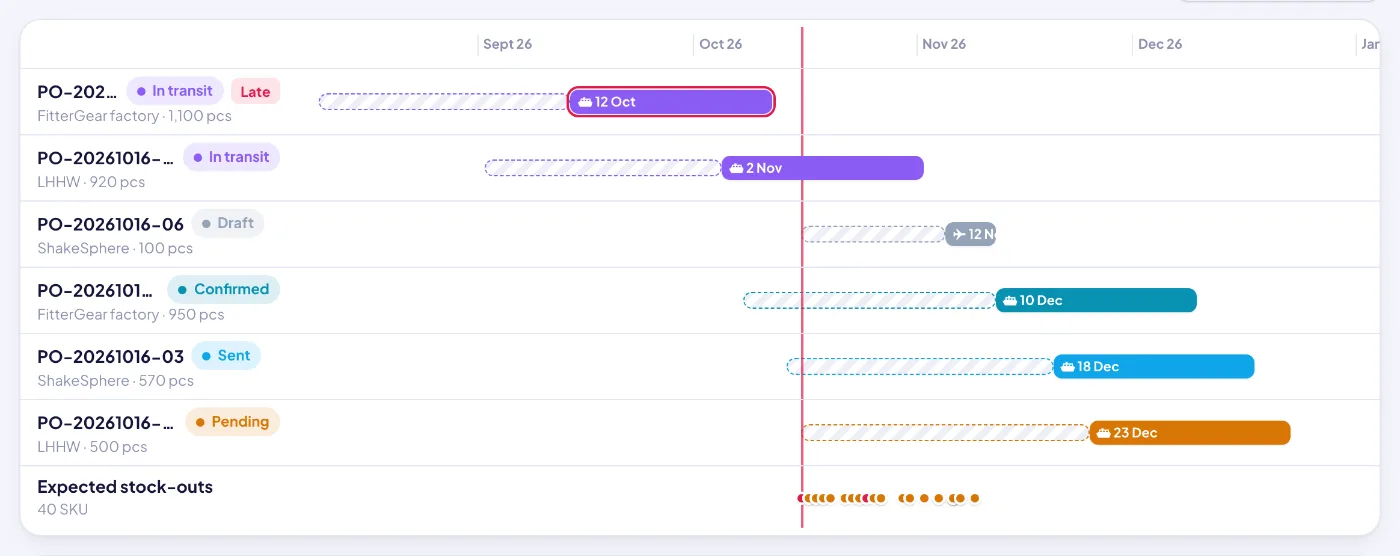
When content and creators push a product, demand jumps weeks before a container can arrive. SellerTiger turns real order data into a stock-out date and a reorder quantity per SKU, lays every purchase order on a timeline, and lets AI review the plan before you commit money.
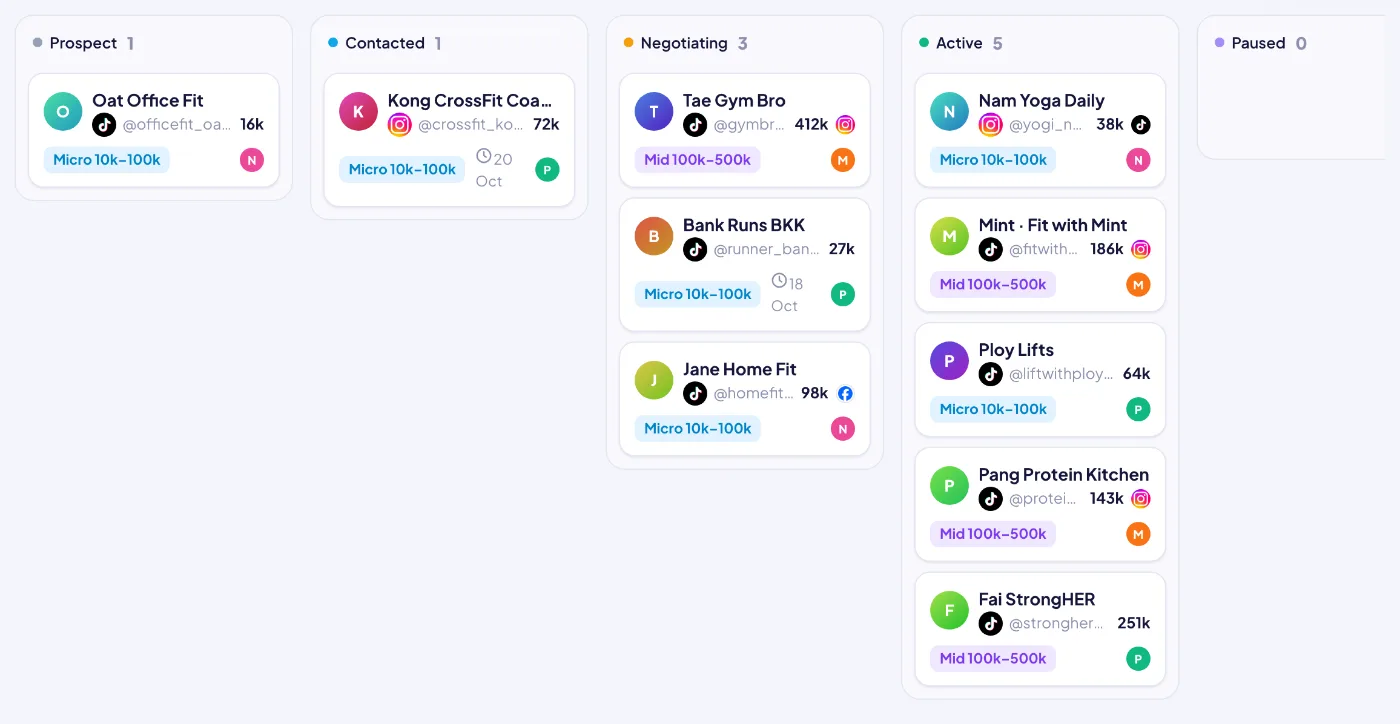
Creators are the fastest way to turn content into orders — and the easiest place to lose money. SellerTiger runs the whole loop: find and screen creators, agree deals inside your margin rules, ship approved samples, track every post, and attribute the orders each creator brings against what you spent.
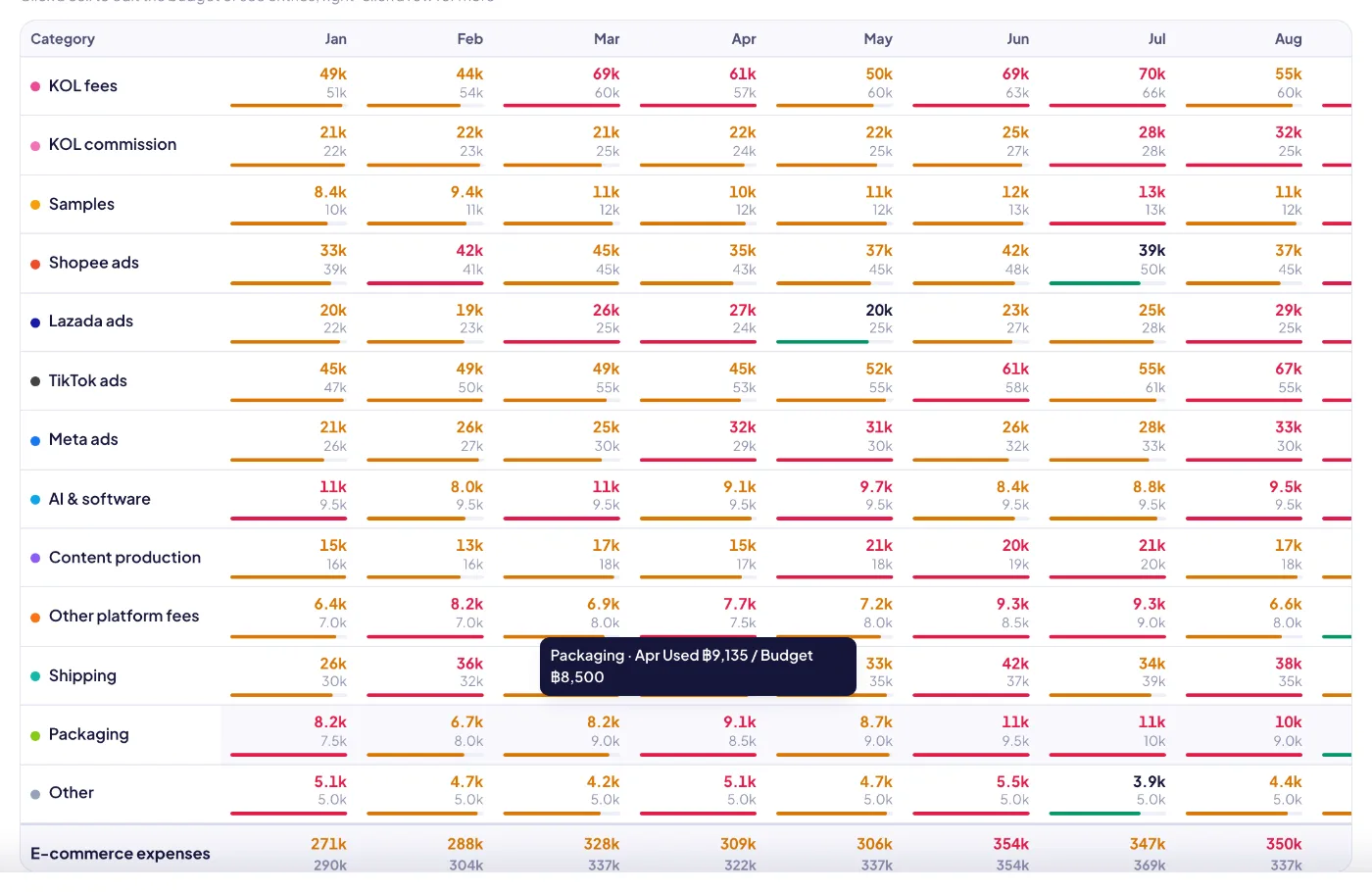
Content, creators and ads are what bring traffic — and they cost money. Budget & profit puts the plan, the real spend, the money already promised and the e-commerce P&L in one place, filled automatically by the modules where the spending happens.
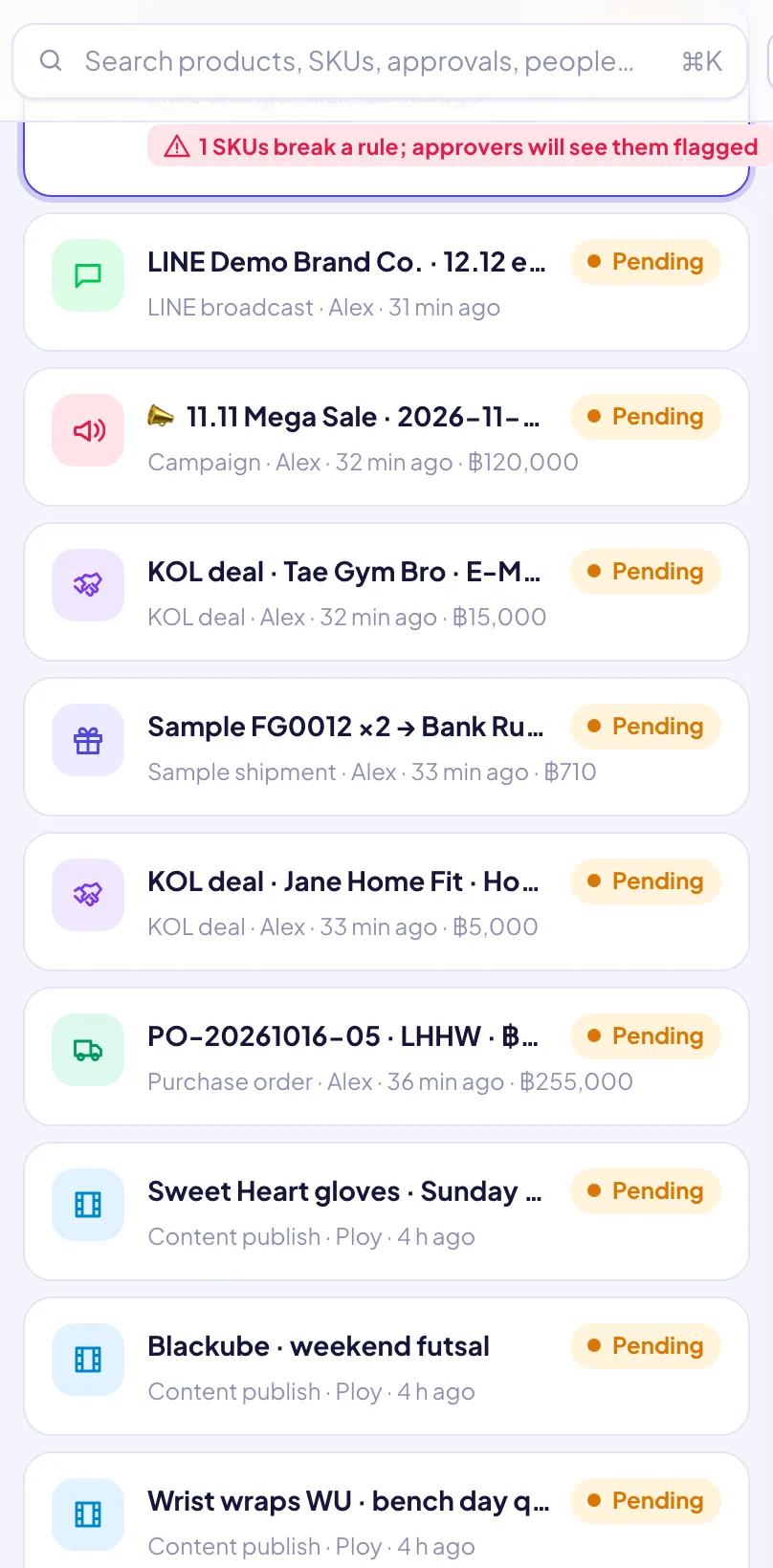
Most approval tools stop at “approved”. In SellerTiger the request carries the data it is about, the system checks it before you look, AI can review it, and approving it actually does the next steps: prices go live, money is booked, tasks are created, people are notified.
Content drives traffic, marketplaces convert it, and the data ends up scattered across seller centers, social accounts, an ERP and spreadsheets. The Data Center brings it together: where each kind of data comes from, how often it refreshes, whether it is healthy, and what still needs a manual upload.
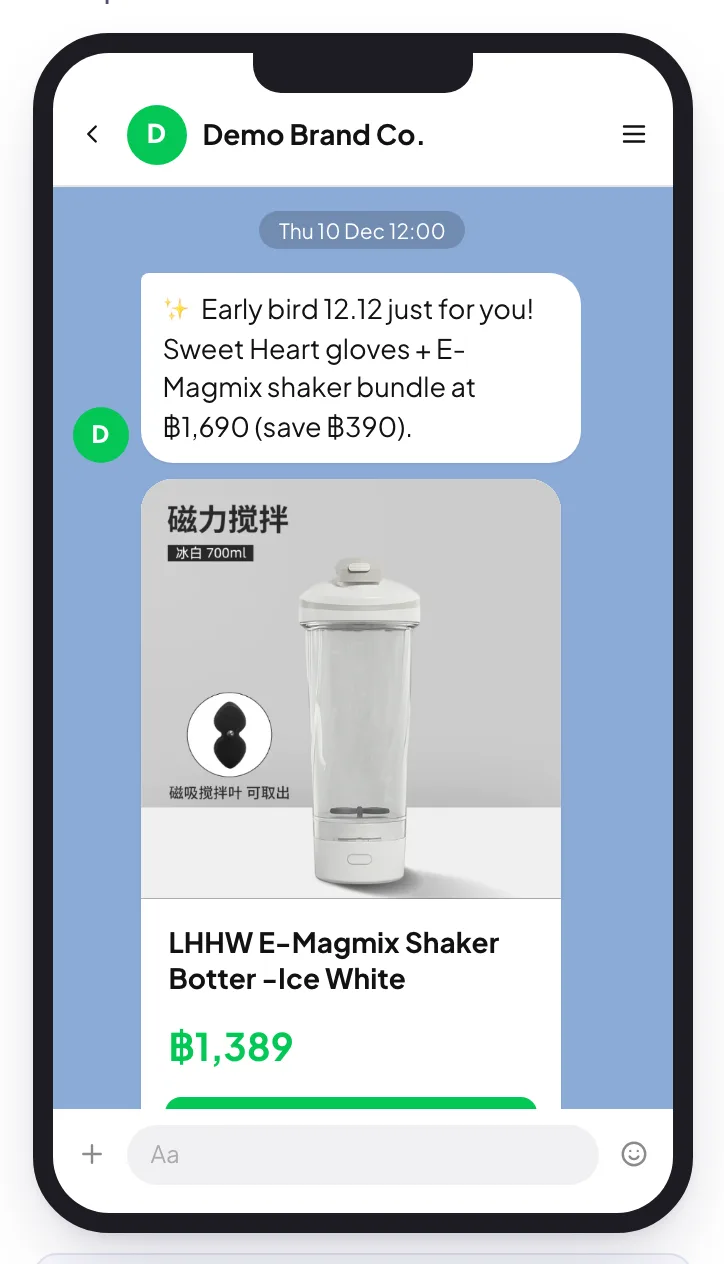
Content builds an audience on LINE, Facebook, Instagram and TikTok; broadcasting turns that audience into traffic on campaign day. SellerTiger composes LINE OA broadcasts with live product cards, sends them only after approval, tests them in a sandbox first, and schedules social posts from the same plan.
Brands & channels, fee rules and pricing strategy defaults feed every picker and every number — set them once per company.
Daily workbench, weekly growth and stock review, monthly reconciliation and budget close — the same cadence for every brand.
Alerts, approvals and data gaps create tasks for the right person with the context attached.
OKRs read real metrics, so progress updates itself and every team sees the same scoreboard.
Not a chat box bolted on the side — the assistant works inside products, orders, inbox, marketing and finance, with your permissions and your numbers.
See the AI assistant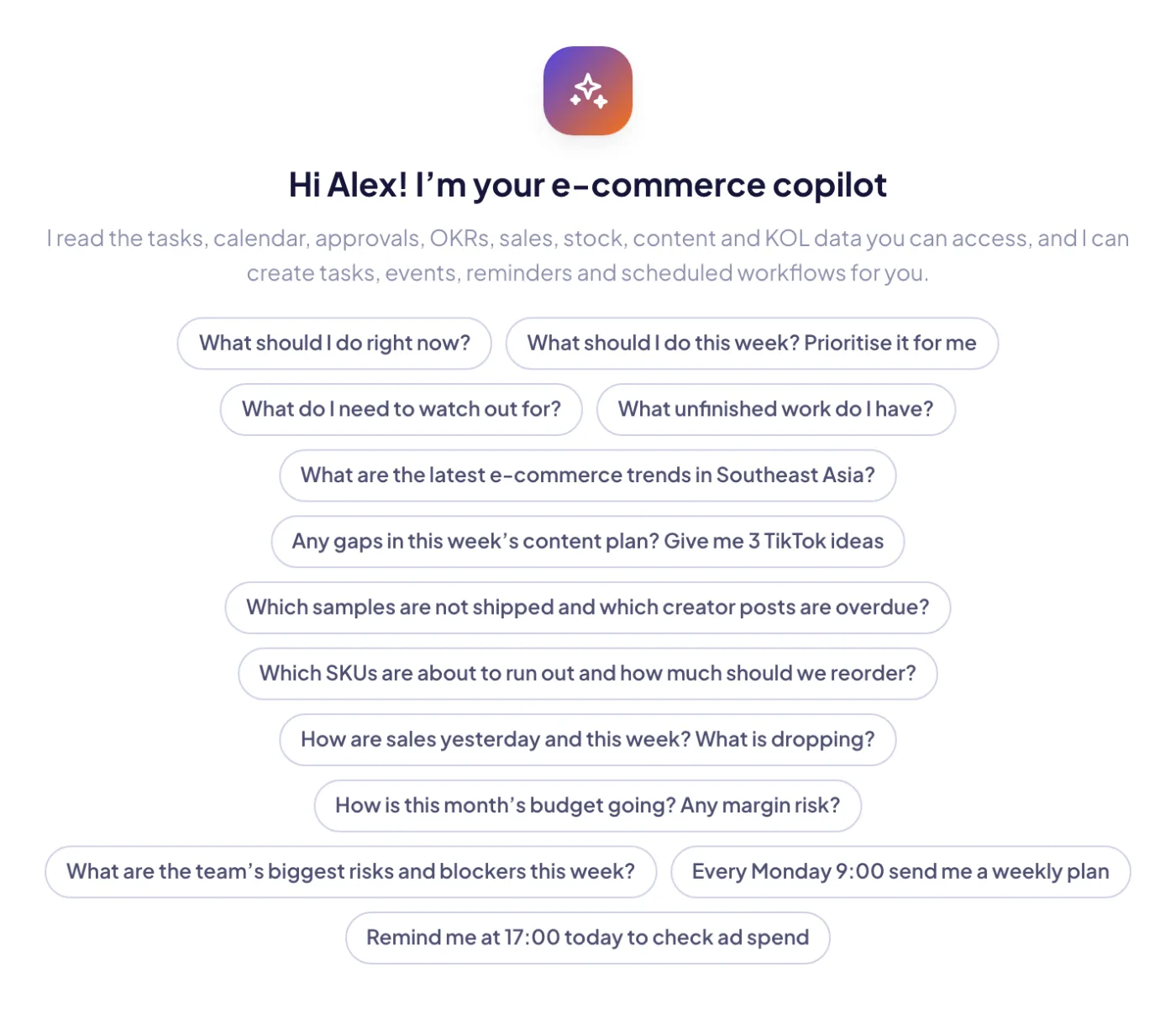 ShopeeLazadaTikTok ShopShopifyShopline
 LINE SHOPPINGBigSellerPEAKLINE Official AccountGoogle Workspace
 GmailLarkMeta
 Facebook
 Instagram
 TikTok
Brands and online sellers who sell on Shopee, Lazada, TikTok Shop, their own website, LINE and social media — from a two-person shop to a team of dozens running several brands.
No. SellerTiger works on its own: import products from a spreadsheet, create manual orders and record stock movements. When you connect a shop or ERP, that data syncs automatically and the manual step for it is locked.
Shopee, Lazada, TikTok Shop, Shopify, Shopline, BigSeller, PEAK, LINE OA, Facebook and Instagram, TikTok, Google (Gmail and Calendar) and Lark, plus AI providers. See the integrations page for what each connection does today.
Every sign-up starts on the Free plan: free forever, no credit card, with the basics (orders, products, inventory, pricing and the customer inbox; no AI or data export). When you need more people, shops or AI, upgrade any time in Settings → Plan.
Plans are priced per person per month. Your bill is the plan price multiplied by the people in your workspace, up to the plan’s seat cap. Yearly billing gives you two months free.
Sign up free in a minute — you start on the Free plan and can upgrade any time. Bring your team, connect your shops and watch the numbers move.